

Download Teenpatti Ace Pro for Android
DOWNLOAD AVAILABILITY
Release evidence required before a file is offered
This page currently publishes 0 downloadable APK artifacts for Teenpatti Ace Pro. The keyword route opens this record; it transfers 0 APK files. A release can be offered after its exact file and source have been reviewed.
Version name/code, filename, byte size, publisher release date, minimum Android/API, declared permissions, SHA-256 and signing certificate belong to one specific artifact. These release fields are withheld together until supported by that artifact. Store update dates below describe listings, rather than a downloadable file offered here.
Read the publisher’s store listing and its installation options ↗
Understand the file and signing checks · Learn with the browser hand lab
App details and evidence record
Store identity observations and APK file measurements are separate evidence. A store package reference does not authenticate an unrelated file with a similar title.
| Recorded detail | Value / reference |
|---|---|
| Search name | Teenpatti Ace Pro |
| Store application name | Teenpatti Ace Pro -poker,rummy |
| Developer shown in store | EASY TOUR LIMITED |
| Store package ID | com.acdsldgs.aceprotp |
| Store listing updated | 2026-08-17 |
| Identity source | Google Play product record ↗ |
| Android download route | https://gameteenpatti.com/go/teenpattiacepro |
| Published APK artifacts | 0 |
| Record edition | 2026-10-22 |
| Website audience | 18+ |
Application purpose and functions
The publisher describes Teen Patti, rummy, poker, tournament and social play modes.
These are publisher-described functions from the linked listing, rather than hands-on test results. Check the chosen mode’s rules and current availability in that exact product.
For the classic game, use three cards and compare the six hand categories. The free browser hand lab and rules walkthrough remain usable without installing Teenpatti Ace Pro.
Version history: current, archived and withdrawn
The version-history ledger currently contains 0 APK release records for Teenpatti Ace Pro. Older build numbers and links will be added only with their own preserved artifacts. This content edition is dated 2026-10-22; it is not an application release.
Every published release retains its version code, filename, exact size, release date and SHA-256. Archived builds stay labelled “archived”; withdrawn builds keep their record with file delivery disabled. The current release selector changes independently of those records.
Changelog and publisher update notes
The store update note describes a payment-issue fix.
This is a store-level observation for the listing updated 2026-08-17. It is not assigned to an APK version offered here. Read the publisher’s update note ↗
Required permissions and their purposes
A build-specific permission inventory requires the APK manifest. The examples below explain Android permissions; they do not assert that Teenpatti Ace Pro requests any of them.
| Example identifier | Android capability | How to assess the request |
|---|---|---|
| android.permission.INTERNET | Network connections | Online sessions require connectivity; this is a normal manifest permission, rather than a runtime consent dialog. |
| android.permission.RECORD_AUDIO | Microphone access | A voice feature may need microphone access. Ask why it is requested before choosing that feature; card comparison alone does not require it. |
| android.permission.READ_MEDIA_IMAGES | Image access on applicable Android releases | An optional avatar feature may request images. Prefer a system photo picker or a limited selection when offered. |
| android.permission.POST_NOTIFICATIONS | Notifications on applicable Android releases | Optional event reminders can be declined independently of learning the rules. |
Permission counts do not establish how code behaves. Review access in Android Settings after installation and relate each request to a feature you chose. Stop when a card-game download asks for unrelated accessibility control, device administration or another installer.
SHA-256, signature and distribution source
For an offered file, compare the full 64-character SHA-256 with the release record, then check the certificate fingerprint against an authenticated publisher reference. A successful signature verification establishes signing integrity under the verification conditions; publisher identity and malware behaviour require separate evidence.
Changing even one byte changes the file hash. A certificate fingerprint identifies a signing certificate, rather than the complete file. Updates can use an authenticated key-rotation lineage, which should be explained in the release evidence.
On a computer, calculate the APK file hash with sha256sum filename.apk (Linux), shasum -a 256 filename.apk (macOS), or Get-FileHash filename.apk -Algorithm SHA256 (PowerShell). These are local file-reading commands.
How to install Teenpatti Ace Pro on Android
- Read the Teenpatti Ace Pro file record first: app, developer, package, version, filename, bytes, source, Android/API requirement and signature identity. Continue only when an actual offered artifact is shown.
- Preserve legitimate account recovery and read the exact product’s privacy policy. Check Android version and free space in Settings; download size does not equal installed storage use.
- Tap the deliberately labelled APK button once. Compare the downloaded file’s name, byte count and SHA-256 with that same record before opening it.
- Keep Play Protect enabled. If Android requires permission for this installation source, review the source and warning first. Grant that source access only for an installation you have independently decided to trust.
- Review Android’s package information and required permissions. Cancel for a source, signature, package or compatibility mismatch. Turn off the installation source’s access again when finished.
- Open the installed application, review optional feature permissions and the selected mode’s rules. Begin with a rules lesson rather than a promotion or payment request.
Common download and installation errors
| Symptom | Useful next step |
|---|---|
| Download stops or produces an HTML file | Check the visible filename and byte count. A login, advertisement or error page saved with .apk is still a web page. Return to the authenticated source. |
| “Problem parsing the package” | Match the actual minimum Android/API and transfer size; an incomplete download or a split-package format requires a different diagnosis. Avoid changing unrelated permissions. |
| “App not installed” or an update conflict | Record the full error, installed package and signing identity. Preserve account recovery and local data before considering removal. |
| Android or Play Protect warning | Pause the installation and investigate the source and warning. Keep Play Protect enabled. A matching hash is an identity check, not a malware verdict. |
| Insufficient storage or incompatible device | Check Android Settings for available storage, system version and supported architecture. APK bytes are download size, not installed-space requirements. |
| App opens but cannot connect | Check connectivity, service availability and the exact build’s support notice. Reinstalling repeatedly does not diagnose a server problem. |
Privacy policy, support and security reports
Privacy policy linked by the store ↗ · [email protected] ↗
The contact above is the store’s published support email, observed 2026-10-22. It is an initial contact for asking how to submit a private security report; this site has not tested its responsiveness or established a dedicated vulnerability programme.
- For a suspected APK problem, stop installation and preserve the source URL, filename, full SHA-256, version/build if available, Android version and exact warning.
- Contact the publisher through its authenticated support channel and ask for the private security-report procedure before sending sensitive technical details.
- Redact passwords, OTPs, payment credentials, government identity documents and private chat. A public review is unsuitable for account secrets or vulnerability details.
Website privacy and corrections are separate: site privacy policy · website contact and correction scope.
Original visual guide
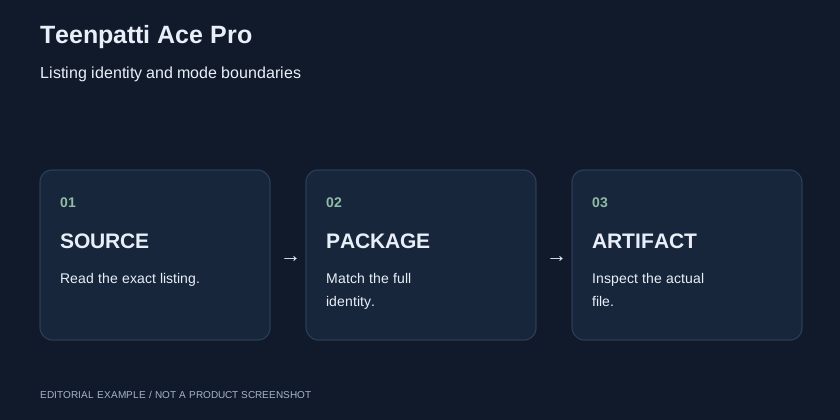
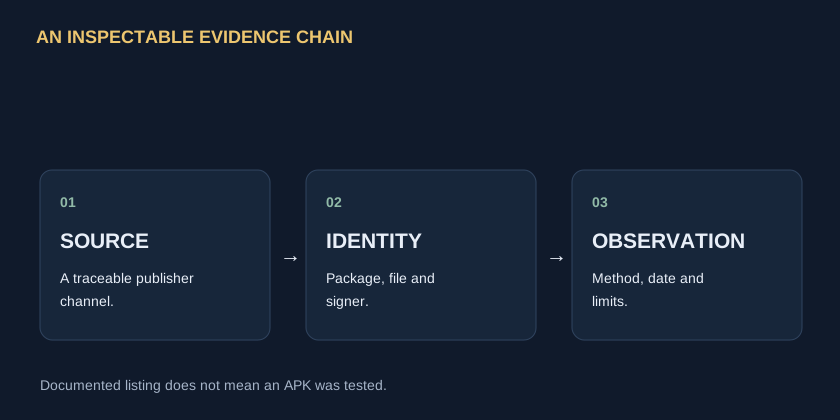
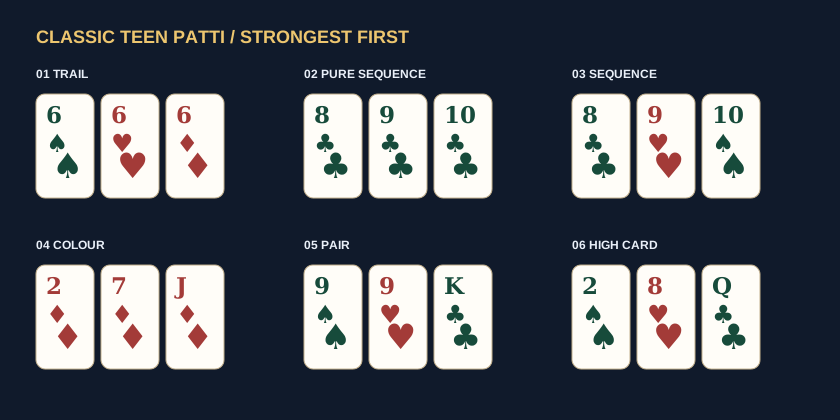
These are original learning diagrams, not screenshots, official icons or evidence of the app’s actual interface. Open any image for a larger view.
The documented reference
The Google Play record for Teenpatti Ace Pro -poker,rummy shows EASY TOUR LIMITED and package com.acdsldgs.aceprotp. The description lists several game modes. These are source statements, not an independent performance review or verification of an external APK.
Do not assume Plus is the same product
A shared Ace name is not enough to connect this record to Ace Plus. Publisher confirmation and a consistent identity are needed before calling another title an edition, update or account migration.
A mode-selection checklist
- Read the exact game and hand-construction rules.
- Check whether wild cards or a special deck apply.
- Keep virtual credits separate from any claims about redeemable value.
- Use only support and privacy links traceable to the documented product.
A practical rule boundary
WORKED EXAMPLE
A rummy declaration is not a three-card hand
The hand lab can classify A♠ K♥ Q♦ as a classic sequence. It cannot determine whether a rummy declaration is valid or whether a poker hand has been constructed correctly. A multi-game app needs mode-specific help.
What remains untested
No artifact was obtained for a signature, malware or physical-device test. The record therefore publishes no “safe APK” verdict, minimum Android figure or latest-version number.
Download and guide questions
Does the download-record button transfer an APK?
The current record publishes 0 APK artifacts. Read the availability block before expecting a file. A APK Download is separate from a downloadable installation package.
Which version should I install?
Use the current offered build of the exact publisher/package, subject to its compatibility and availability. A newer article date does not establish a newer app build.
Can I use a historical APK as an update?
An archived release remains labelled with its own version, date and hash. Check supported downgrade and account behaviour with the publisher before replacing an installation.
What should I report if a file or permission looks wrong?
Preserve the source URL, exact filename, SHA-256, time, Android version and warning text. Use the authenticated publisher support route; redact account secrets and personal documents.
Sources and observation limits
Source observation edition: 22 October 2026. A listing observation is separate from an APK measurement. Review the exact file record for any offered release; availability and descriptions may change.


